A PDF editor for Windows 10 and 11 PCs
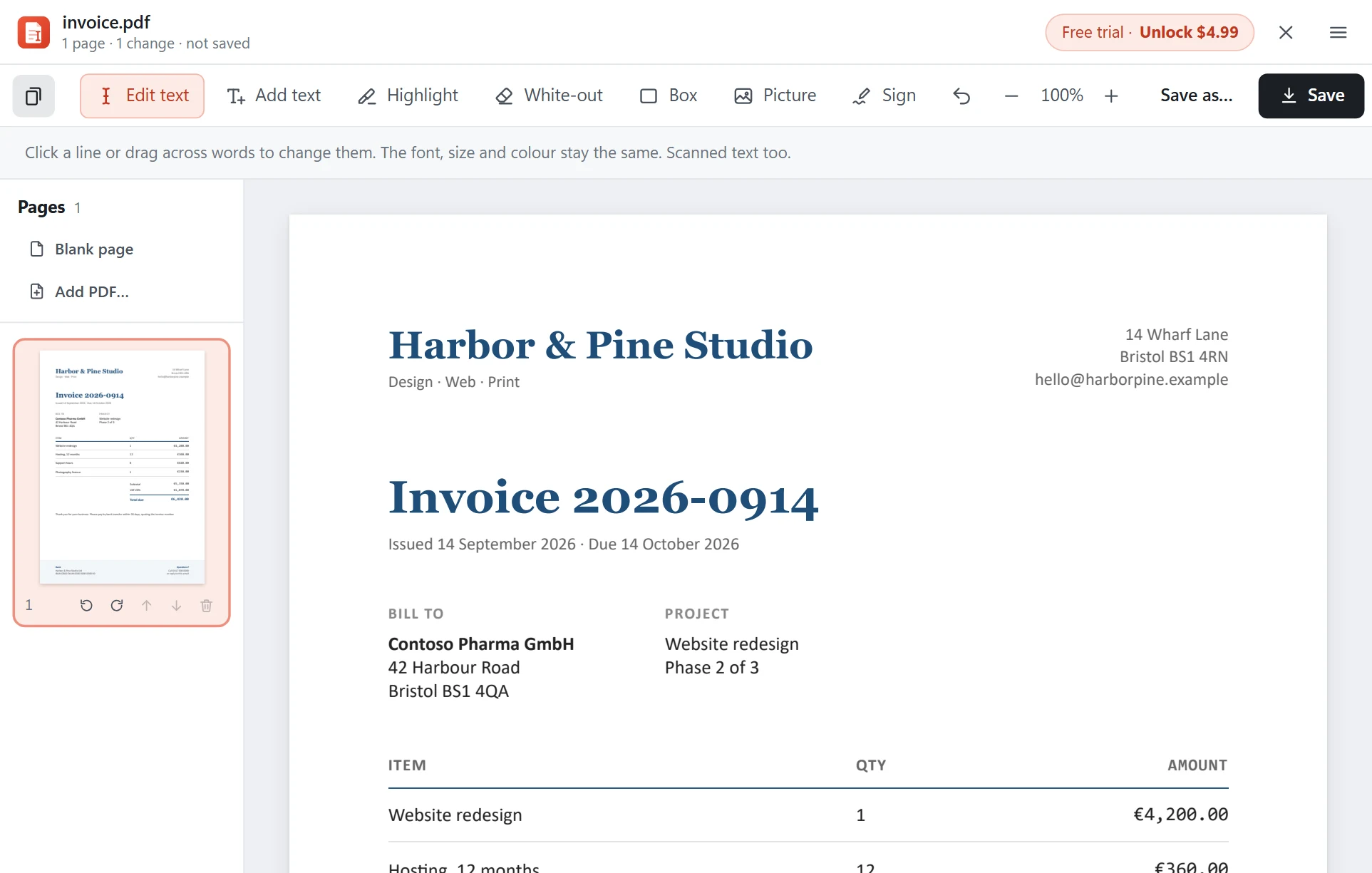
Direct PDF Editor is a small Windows app (7 MB) that opens PDFs instantly and edits them right on your PC: text in the same font, scans, signatures and pages. No browser tabs, no uploads, no account.
Made for Windows
- Installs for your account only: no administrator password, nothing changed for other users.
- Right-click › Open with: it joins the Open with menu for PDFs without taking over your default viewer.
- Uses your Windows fonts when a PDF lacks a letter, so edits keep their typeface.
- Reads scans with Windows' own text recognition, in the languages you have installed.
- Light and dark: it follows your Windows colour setting.
- Built on PDFium, the PDF engine inside Chrome and Edge, so PDFs look right.
Everything it does
- Edit text in a PDF: click a line, type, keep the font.
- Edit scanned PDFs: correct text that is only a picture.
- Add text, highlights, white-out, boxes, pictures and logos.
- Sign PDFs with a drawn or typed signature.
- Merge PDFs; reorder, rotate, insert and delete pages.
- Make a PDF from pictures; save text as .txt or pages as PNG/JPG.
- Open password-protected PDFs (with their password).
Keyboard shortcuts
| Open a PDF | Ctrl+O |
|---|---|
| Save / Save as | Ctrl+S / Ctrl+Shift+S |
| Undo | Ctrl+Z |
| Zoom in / out / fit | Ctrl++ / Ctrl+- / Ctrl+0 |
| Tools | E edit text, T add text, H highlight, W white-out, B box, I picture, S sign |
Questions
Does it work on Windows 10?
Yes, on Windows 10 and Windows 11, 64-bit.
Will it replace my default PDF viewer?
No. It adds itself to the Open with menu for PDFs, and your default PDF app stays as it is. You can make it the default yourself in Windows Settings if you like.
Does it need the internet?
Only to activate your license key once and to check for updates. Opening, editing and saving PDFs work fully offline.
Is there a Mac version?
Not yet. Direct PDF Editor is for Windows for now.
Get it for Windows
Free to try. $4.99 once to keep, with lifetime updates and support.