How to merge PDFs and reorder pages offline
Put the signed page back into the contract, turn the sideways scan the right way up, drop the blank page the printer added. Here is how, without uploading anything.
The Pages panel
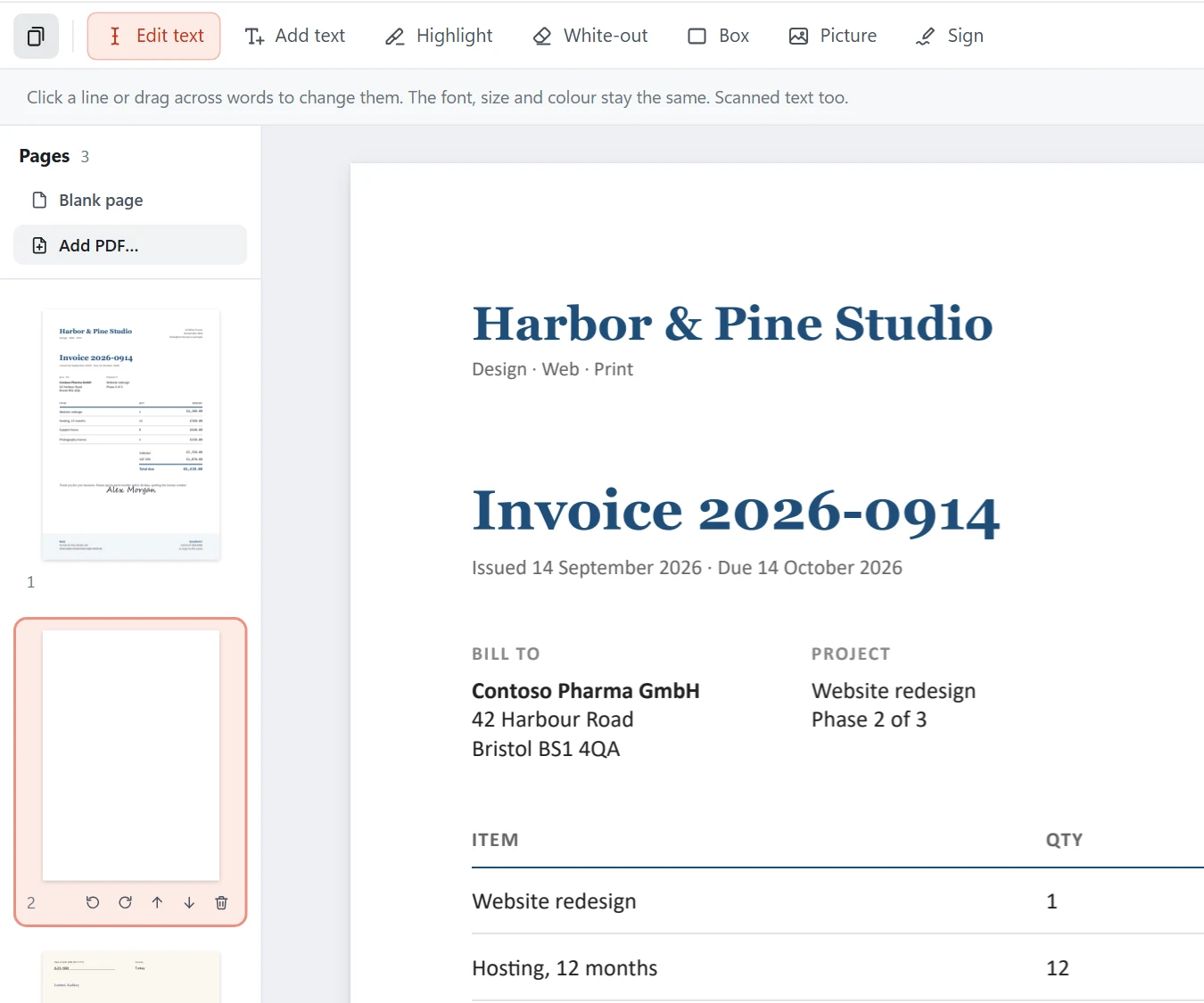
Open a PDF in Direct PDF Editor. The Pages panel on the left shows every page. Click one to jump to it. Hover a page to see its buttons: turn left, turn right, move up, move down and remove.
Merge two PDFs
- Open the first PDF and scroll to the page after which the others should go.
- Click Add PDF… at the top of the Pages panel and choose the second PDF. All its pages are added after the page in view. Password-protected PDFs ask for their password.
- Save with Ctrl+S.
Reorder pages
Drag a page in the panel to where it belongs; a red line shows where it will land. Or use the up and down buttons on a page.
Rotate, delete or add pages
- Rotate: the turn-left and turn-right buttons turn a page a quarter at a time.
- Delete: the bin button removes a page (a PDF keeps at least one).
- Blank page: adds an empty page, the size of the page in view, after it. Handy for notes you then add with Add text.
Make a PDF from pictures
On the start screen choose Make a PDF from pictures, or drop several JPG or PNG files on the window. Each picture becomes a page, turned the right way up. Save it wherever you like.
Questions
Can I merge PDFs without uploading them?
Yes. Direct PDF Editor adds the pages of one PDF to another on your own computer. Nothing is uploaded.
Can I undo a page change?
Yes. Turning, moving, adding and removing pages can all be undone with Ctrl+Z, like any other change.
Will links and form fields survive?
Text, pictures and drawings always do. Clickable links and fill-in form fields on pages you move or add from another PDF may not carry over, so check those pages if they matter.